Public Window
Public Window lets you publish a clean, linkable page — your display name, bio, tagline, social links, and every note or document you mark public — at a stable URL like glassy.fyi/w/yourslug. Notes you pin are featured at the top.
Publishing a Public Window requires Glassy Pro on the public hosted service. Viewing is free there, but an instance's privacy policy still applies: private and members-only deployments require sign-in rather than exposing windows anonymously. In beta.37+, the signed-in owner can view their own window on a private instance; this does not make it public to other visitors.
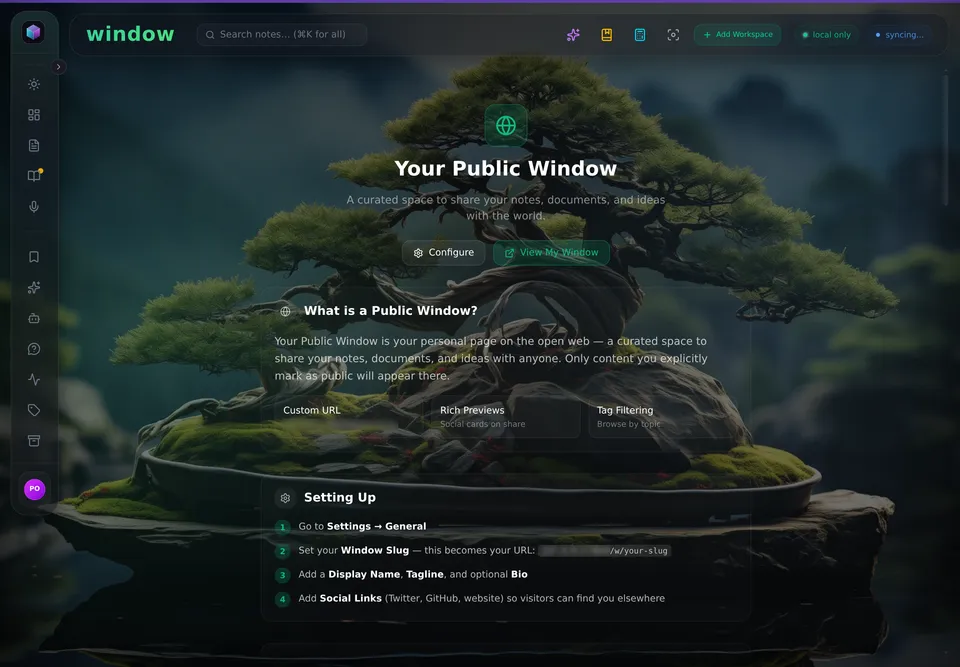
The window is opt-in; these are the controls.
What you can publish
| Field | Description |
|---|---|
| Slug | Your unique URL (glassy.fyi/w/yourslug) |
| Display name | Shown as the page heading |
| Bio | Short free-text description |
| Tagline | One-liner beneath your name |
| Social links | Up to five external links |
| Banner | Optional header image |
| Layout | Grid, Feed, or Minimal display for public notes |
| Theme | Matches one of the built-in Glassy themes |
| Accent color | Custom highlight color |
Setting up your Public Window
- Open Settings → Profile
- Choose a slug — this becomes your permanent public URL
- Fill in your bio, tagline, and social links
- Optional: pin notes you want featured at the top of the page
- Hit Save — your window is live immediately
Info
display_name and avatar_url are editable by all accounts. The fields listed above (slug, bio, tagline, etc.) require Pro.
Viewing vs. publishing
| Action | Free | Pro |
|---|---|---|
| View someone's Public Window | ✓ | ✓ |
| Claim a slug | — | ✓ |
| Edit bio / tagline / social links | — | ✓ |
| Customise theme, layout, accent color | — | ✓ |
| Pin (feature) notes at the top | — | ✓ |
The two routes
There are two presentation surfaces, and picking the right one is most of the work:
#/w/<slug>/<noteId> — the Public Window. A read-only, URL-addressable view of published
content, covered throughout this page. It is the right surface for sharing a collection: a
profile with tag filtering, feeds, reading times and follow. Every window ships an RSS feed at
/w/<slug>/feed/rss.
On a self-hosted appliance, \"public\" means your members
The appliance forces the Public Window to members-only, so the URL is reachable by the owner and their signed-in members rather than by the open internet. That is a deliberate posture, not a misconfiguration, and it is the single most common surprise on this feature.
#/present/<kind>/<id> — one artifact, no chrome. It renders a single note, canvas or
document with no sidebar, header or widgets, for putting one thing in front of someone without
the workspace around it. Esc exits. Valid kinds are note, canvas and document. It is
owner-only by design — the unauthenticated surface remains #/w/<slug>/<noteId> — and it
reuses the existing renderers rather than adding another.
Use #/w/ to share a collection; use #/present/ to hand over one artifact for a decision.
Both routes are published by GET /api/capabilities under capabilities.presentation, including
the valid kinds, so a program can build the URL and check the kind list rather than guessing. One
consequence worth knowing if you present canvas notes: a canvas renders through the same
renderer on every surface, which was not true before v2.40.7 — a canvas opened in the Public
Window used to fetch successfully and then display nothing.
What visitors see
Visitors get a premium reading experience that matches your editor exactly:
- Full formatting — headings, lists, code, callouts, tables and images render with the same typography you see while editing (no formatting is lost between the app and the public page).
- Articles — public documents open in a distraction-free reader with cover art, reading progress, and reading time.
- Browsing — tag filtering, per-note reading times, likes, and social preview cards when links are shared.
- Feeds — every window ships an RSS feed at
/w/<slug>/feed/rss(with clean plain-text descriptions), and other Glassy users can Follow your window from their Feeds.
Server-side enforcement
The profile API (PATCH /api/users/profile) rejects writes to Public Window fields from accounts without an active paid plan with 403 PUBLIC_SHARE_NOT_ALLOWED. The client upsell card is a convenience — the server is the authoritative gate.
Upgrading to Pro
Go to Settings → Billing or open the Account HUD and tap Upgrade. Pro is $17/mo or $100/yr and adds 200 MB of hosted storage, full-speed Cloud Sync, and Public Window publishing. GlassyKeep, GlassyCalc, and Voice Studio are in every account, Free included; publishing is the one paid gate.